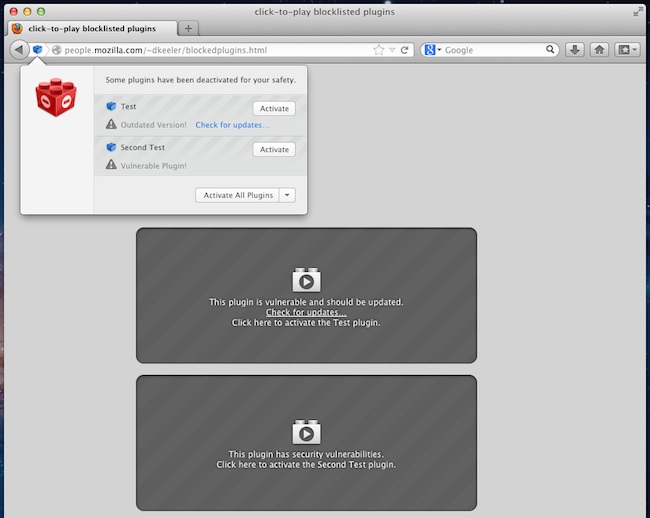
Mozilla is making changes to an initiative called “Click to Play“, which has been in existence since Firefox 17 was released, that prevents Firefox from automatically loading plug-ins unless the user authorizes it. The move is aimed at helping Firefox improve performance, while adding a side benefit of security.
 “Previously Firefox would automatically load any plugin requested by a website. Leveraging Click to Play Firefox will only load plugins when a user takes the action of clicking to make a particular plugin play or the user has previously configured Click To Play to always run plugins on the particular website,” explained Mozilla’s director of security assurance, Michael Coates, in a blog.
“One of the most common exploitation vectors against users is drive by exploitation of vulnerable plugins. In this kind of attack, a user with outdated or vulnerable plugins installed in their browser can be infected with malware simply by browsing to any site that contains a plugin exploit kit… The Click to Play feature protects users in these scenarios since plugins are not automatically loaded simply by visiting a website.”
Mozilla says that Click to Play will be enabled for all versions of all plugins, except current versions. Accordingly, Click to Play has already been enabled for many plugins that pose significant security or stability risks, the blog post noted – including vulnerable and outdated versions of Silverlight, Adobe Reader, and Java.
Focusing on more recent drive-by malware attacks, Mozilla has enabled Click to Play for all versions of Adobe’s Flash Player 10.2.* and below.
An example of Click to Play in action can be seen in the image below: