Connect with us

Hi, what are you looking for?

SecurityWeekSecurityWeek

Cybercrime

Phishers Use ‘ZeroFont’ Technique to Bypass Office 365 Protections

Cybercriminals have been leveraging a technique that involves manipulating font sizes in an effort to increase the chances of their phishing emails bypassing the protections implemented by Microsoft in Office 365.

Cybercriminals have been leveraging a technique that involves manipulating font sizes in an effort to increase the chances of their phishing emails bypassing the protections implemented by Microsoft in Office 365.

According to cloud security company Avanan, one of the phishing protections in Office 365 involves natural language processing in order to identify text typically used in fraudulent or malicious emails.

For instance, researchers say the system flags emails mentioning “Apple” or “Microsoft” but not coming from legitimate domains, or messages referencing user accounts, password resets or financial requests.

In recent attacks spotted by Avanan, cybercriminals sent out phishing emails in which some of the content is set to be displayed with zero-size font using <span style=”FONT-SIZE: 0px”>. The security firm has dubbed this technique ZeroFont.

The email looks normal to the user, but Microsoft’s filters read the entire text, even if it’s displayed with a font size of “0”. The user sees this:
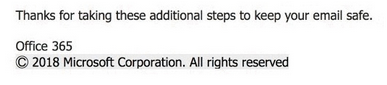
ZeroFont phishing email

But Microsoft’s systems will analyze the following text, which includes strings that are invisible to the user due to the “FONT-SIZE: 0px” attribute:

Advertisement. Scroll to continue reading.

ZeroFont phishing email

“Microsoft can not identify this as a spoofing email because it cannot see the word ‘Microsoft’ in the un-emulated version. Essentially, the ZeroFont attack makes it possible to display one message to the anti-phishing filters and another to the end user,” Avanan’s Yoav Nathaniel said in a blog post.

Last month, Avanan reported that cybercriminals had been splitting malicious URLs in an effort to bypass the Safe Links security feature in Office 365.

Related: To Stop Phishing, Understand the Long Tail of Risk

Related: Mobile Phishing Attacks Up 85 Percent Annually

Related: Phishing Pages Hidden in “well-known” Directory

Written By

Eduard Kovacs (@EduardKovacs) is senior managing editor at SecurityWeek. He worked as a high school IT teacher before starting a career in journalism in 2011. Eduard holds a bachelor’s degree in industrial informatics and a master’s degree in computer techniques applied in electrical engineering.

Daily Briefing Newsletter

Subscribe to the SecurityWeek Email Briefing for the latest cybersecurity threats, trends, and expert insights.

Click to comment

Trending

Daily Briefing Newsletter

Subscribe to the SecurityWeek Email Briefing to stay informed on the latest threats, trends, and technology, along with insightful columns from industry experts.

Join as speakers examine the various components of ASM strategy, the push to mandate continuous asset visibility and inventory tools, and the use of red-teaming, bug bounties and pen-tests in modern security programs.

Register

In this live webinar, learn how to define your minimum viable business, identify the systems it depends on, measure actual recovery time against business requirements, and present the gaps to the board as measurable risk.

Register

People on the Move

Frank Verdecanna has been appointed Chief Financial Officer at Armadin.

Keeper Security has named Jessica Krowel and Bill Grabner as SVPs of sales for North America.

Skyhigh Security has named Anthony Palladino as Chief Operating Officer.

More People On The Move

Expert Insights

Daily Briefing Newsletter

Subscribe to the SecurityWeek Email Briefing to stay informed on the latest cybersecurity news, threats, and expert insights. Unsubscribe at any time.