Google on Wednesday announced several new tools and protection mechanisms designed to help users secure their accounts and recover them in case they have been compromised.
It’s not uncommon for accounts to get hacked after their username and password have been obtained by malicious actors through phishing attacks. Since many users still haven’t enabled two-factor authentication, Google has introduced an additional layer of security during the login process.
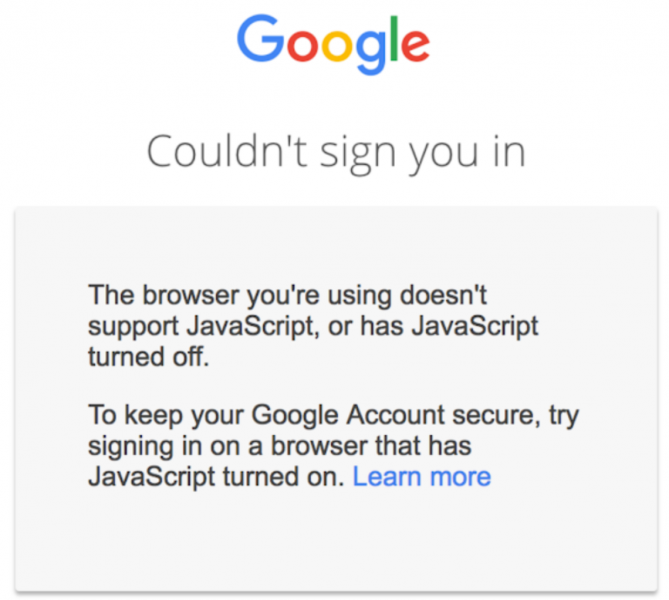
When the username and password are entered on the sign-in page, a risk assessment is run and the login is only successful if nothing is suspicious. However, for the risk assessment to work, Google says users need to have JavaScript enabled.
The tech giant pointed out that JavaScript is enabled by default in most web browsers, but noted that 0.1% of its customers have decided to disable it. If JavaScript is disabled and the risk assessment cannot be completed, authentication will fail.
Once users have logged in, the Security Checkup tool introduced by Google last year helps them improve the security of their account by offering customized guidance. The tool is constantly enhanced and the company recently added protection against harmful mobile apps based on recommendations from Google Play Protect. It now also allows users to remove their account from devices they no longer use.
While Google currently notifies users when third-party sites or apps are given access to Gmail and Google Contacts data, the company says it will soon add Google Accounts to the list.
In case an account has been compromised, Google now provides a step-by-step process that helps users check security settings, protect other accounts linked to the hacked account, verify financial activity to see if payment methods linked to the account have been abused, and review files in Gmail and Drive to determined if they have been accessed or misused.
Related: Google Announces New Security Tools for Cloud Customers
Related: Google Offers G Suite Alerts for State-Sponsored Attacks
Related: Google Tracks Your Movements, Like It or Not
Related: Google Launches reCAPTCHA v3